
Tips for Setting Boundaries with Notifications to Boost Your Focus
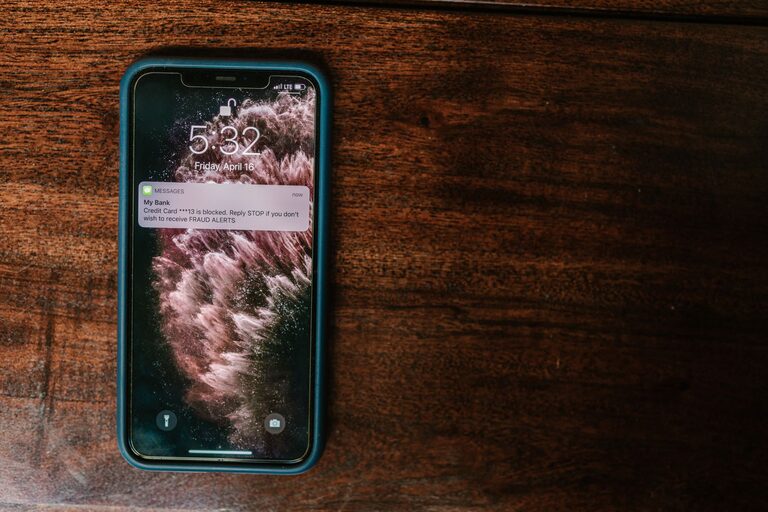
Managing the constant buzz of notifications on our devices can be a challenge. Whether it’s emails, social media alerts, or app reminders, notifications often interrupt our focus and can lead to stress or decreased productivity. Setting clear boundaries with notifications is essential for maintaining control over your time and attention.
In this post, we’ll explore practical tips to help you manage notifications more effectively, so you can stay focused and enjoy a better balance between your digital life and real world.
Why Setting Boundaries with Notifications Matters
Notifications are designed to grab your attention, often interrupting whatever you’re doing. While some alerts are important, many are not urgent and can wait. Without control, notifications can:
– Distract you from deep work or important tasks
– Increase feelings of stress and overwhelm
– Interrupt personal or family time
– Decrease overall productivity and well-being
Creating boundaries helps you decide which notifications deserve your attention and when you want to be interrupted.
Tips for Setting Boundaries with Notifications
1. Audit Your Notifications
Start by reviewing all the apps and services sending you alerts. Ask yourself:
– Do I really need notifications from this app?
– How often do these alerts come through?
– Are they helpful or distracting?
Turn off notifications for apps that are not essential. For example, many games or promotional apps send frequent, unnecessary alerts.
2. Prioritize Important Notifications
Identify apps or contacts that truly require immediate attention, like your work email, family messages, or calendar reminders. For these, consider customizing notification settings to ensure you never miss critical alerts.
Smartphones often allow you to assign priority levels or use “Do Not Disturb” exceptions to allow only certain notifications to come through.
3. Use Do Not Disturb Mode Strategically
Most devices offer a “Do Not Disturb” mode that silences notifications for set periods. Use this feature during:
– Focused work sessions
– Meetings or appointments
– Personal time and sleep
Setting a daily schedule for Do Not Disturb can help you create consistent boundaries without turning off notifications entirely.
4. Batch Notification Checking
Instead of responding to notifications as they arrive, set specific times during your day to check messages and alerts. For example, you might check emails only at the top of every hour or social media twice a day.
Batching your notification checking reinforces focus and helps avoid constant task switching.
5. Customize Notification Sounds and Visuals
Different sounds or visual cues can help you distinguish between high-priority and low-priority alerts. Assign subtle tones to less urgent notifications and louder or more noticeable ones for important alerts.
This customization helps you decide quickly whether to interrupt your flow or wait.
6. Turn Off Non-Essential Push Notifications
Push notifications on smartphones and browsers can be very disruptive. Turn off push notifications for newsletters, promotional offers, or social media updates that don’t contribute significantly to your day.
Many apps also allow you to customize which types of push notifications you want to receive.
7. Leverage Notification Summary Features
Some devices have notification summary or grouping functions that collect non-urgent notifications into one summary delivered at a specific time.
Using this feature reduces constant alerts by grouping them in digest form, which you can review when convenient.
8. Communicate Your Boundaries
If you work in a team or live with family members who expect quick responses, share your notification boundaries openly. Let people know your preferred times to respond and when you’re offline.
Clear communication helps set expectations and reduces pressure to be constantly available.
Tools to Help Manage Notifications
Several apps and built-in device features can assist you in managing notifications:
– Focus mode or App timers (on Android and iOS) allow you to limit app usage and notifications during focus time.
– Notification management apps provide detailed control over alerts, including scheduling and filtering.
– Calendar apps can trigger Do Not Disturb during meetings or events automatically.
Experiment with these tools to find what works best for your lifestyle.
Conclusion
Setting boundaries with notifications is a simple but powerful way to reclaim your time and attention. By auditing alerts, prioritizing important ones, using Do Not Disturb, batching notification checks, and communicating your boundaries, you can create a more focused and balanced digital experience.
Remember, you control your notifications—they shouldn’t control you. Implement these tips gradually and adjust as needed to fit your unique needs.
Taking small steps today can lead to big improvements in productivity and wellbeing tomorrow.